Circle to Search
Long-press the navigation bar or home button, then circle anything on screen: text, object, plant, landmark. Available on many recent Android phones.
Free · No sign-up · Your files stay on your device
PDF, photos, AI, security, calculators and paperwork: fast tools that run on your phone, even offline, with no ads and without uploading your files.
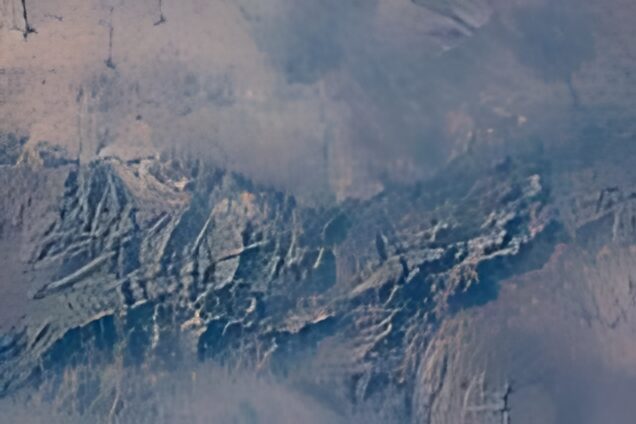 BeforeAfter (AI, on your phone)
🔍 Upscale a photo ×4 with AI
URGENT: your parcel is on hold. Pay €1.99 within 24h: parcel-delivery.top
⚠️ Very likely a scamUrgency · payment · fake .top site
🕵️ Check a message in 1 second
BeforeAfter (AI, on your phone)
🔍 Upscale a photo ×4 with AI
URGENT: your parcel is on hold. Pay €1.99 within 24h: parcel-delivery.top
⚠️ Very likely a scamUrgency · payment · fake .top site
🕵️ Check a message in 1 second
Photo: the Atlas Mountains seen from the International Space Station (NASA, 2024, public domain).
📲 On iPhone: tap Share, then "Add to Home Screen" to keep the tools at hand, even offline.
No sign-up, no ads, and your files stay on your device.
🔒 How we protect your files (live proof) → 💡 One need, one tool: practical guides →
No tool matches. Suggest this tool →
Real margin, maximum ad cost and minimum delivery rate so you do not lose money.
Try it → 📣Break-even point, maximum cost per purchase and the budget your campaigns need.
Try it → 🧾Compliant, in English, French or Arabic, with VAT, amount in words and PDF, no account.
Try it → 🩺Certificate, security headers, SPF, DKIM, DMARC, reverse DNS and blocklists.
Try it → ⚡Your site opened on a simulated phone: Core Web Vitals, weight and a screenshot.
Try it → 🎯Call to action, price, trust, reviews, mobile: what makes visitors buy or leave.
Try it → ⚖️Your legal pages in 3 languages: Moroccan laws 09-08 and 31-08, GDPR, cookies.
Try it → 💬A wa.me link with a prefilled message, a button for your site and a QR code.
Try it → 📦Confirmation, reminder, address, shipping, review: in Darija, Arabic, French or English, with the WhatsApp link.
Try it →Paste a suspicious text or email: the checker spots the traps in a second, without sending anything online.
Try it → 🛡️10 questions on AI-cloned voices, booby-trapped QR codes and phone theft. Challenge your loved ones!
Try it → 📸Exact place on a map, phone, date: see what a photo hides, then download a clean copy with no quality loss.
Try it → 🔑Check against real data breaches without ever sending the password, and generate a strong passphrase.
Try it → 📷See where a QR code really leads before opening it, and create your own QR codes, including Wi-Fi sharing.
Try it → 🚨Scams going around in North Africa and France, reported by internet users and reviewed.
Try it →A real AI cuts out portraits, products and objects in your browser. Transparent PNG or white background for shops.
Try it → 🎙️WhatsApp voice note, meeting, class: the Whisper AI transcribes French, English, Arabic… with .srt subtitles.
Try it → 🔍Blurry photo, old memory or drawing: enlarged 2 or 4 times by recreating details.
Try it → 🌐Letter, contract, leaflet: the text is read then translated between French, English and Arabic, offline.
Try it → 🧠Find out which offline AI your phone can run, with automatic memory detection.
Try it →Geodesic area and perimeter, by tapping the map or walking with GPS. Export KML, GeoJSON, CSV, DXF.
Try it → 📐For surveyors and architects: convert a point, or your own position, to the millimeter.
Try it → 📦Permissions and their risk, signature, certificate and SHA-256 fingerprint of an APK, before you install it.
Try it → ⛰️Averaged GPS point, long profile, cut / fill volumes and contour lines, DXF export.
Try it → 📈A score out of 100 and what to fix: title, description, speed, mobile, structured data, indexing.
Try it → 🛠️Ed25519 or RSA SSH key, ~/.ssh/config file and 26 ADB recipes to test an Android app.
Try it → ⭐favicon.ico, SVG, Apple, Android and maskable icons, manifest and HTML code in a ZIP, from a logo or an emoji.
Try it → 🔍Title and description measured in pixels, Facebook, X and WhatsApp cards, tags ready to copy.
Try it → 🧩schema.org JSON-LD for business, product, article, event, job or recipe, checked against Google's rules.
Try it →Merge, split, compress, sign, photos → PDF and OCR in Arabic, French and English, without uploading your documents.
Try it → 🪪35×45 ID photo, maximum size in KB, white background by AI and a 10×15 print sheet.
Try it → 🖼️JPG, WebP, PNG or iPhone HEIC, in batches, with a maximum size in KB for official websites.
Try it → 📑A crooked photo becomes a straight, sharp, white page, then one PDF for all the pages.
Try it → 🎬Shrink for WhatsApp, keep a part, MP3 or voice message: all in the browser.
Try it →CNSS, AMO, professional expenses and the 2026 income tax scale, line by line, both ways.
Try it → 💶Each 2026 contribution shown, executive or not, Alsace-Moselle, health insurance and tax withholding.
Try it → 🏠Registration duties, 2% on cash, land registry and notary fees.
Try it → 🧾Every French rate, Corsica and overseas included, both ways.
Try it → 🤝Housing aid, activity bonus, RSA, grants, free health cover… and the official simulator of each.
Try it → 💱Today's rate kept on the phone, even offline, or your own rate.
Try it → ⚖️Under the Moroccan Family Code, with every article cited and the obligatory bequest.
Try it → 🏠Monthly payment, total cost, debt ratio, direct housing aid and Murabaha.
Try it → ⚖️Labour Code scale band by band, notice and unfair dismissal.
Try it → 🧑💻0.5% or 1% tax, the 80,000 DH rule, quarterly CNSS, net income and a comparison with a salary.
Try it →Computed on the phone, even offline, with a compass and a monthly timetable.
Try it → 📄Three templates, optional photo, live preview and PDF, Arabic right to left.
Try it → 🔥Scam or not? One message to judge and five sums for children, every day.
Try it → 👵Big buttons for parents and grandparents, and emergency numbers.
Try it → 🎓Overall average, mention, resit and the national mark to aim for (25 / 25 / 50).
Try it → 🔤Darija in Latin letters (3, 7, 9) turned into the Arabic alphabet, and back.
Try it → 🌙Convert a date, count the days until Ramadan or Eid, and work out zakat with the nisab explained.
Try it →Kids train their own AI with the camera, then play rock-paper-scissors against the computer.
Try it → ✏️Ages 5 to 10, in French, English or Arabic, with answer key, or done on the tablet.
Try it →I build web tools, calculators, internal apps and automations tailored to your processes, like the ones on this page.
Talk about your projectPractical guides that turn your Android phone into a real pro tool.
Hidden features of your Android phone, explained in one sentence.
Long-press the navigation bar or home button, then circle anything on screen: text, object, plant, landmark. Available on many recent Android phones.
Press a volume button, then the captions icon: every video and voice message gets subtitles, even offline.
Settings → Wi-Fi → your network → Share: a QR code appears and guests connect without typing the password.
In the power menu, "Lockdown" temporarily disables fingerprint and face unlock: only your PIN works. Turn the option on in lock screen settings if you don't see it.
Settings → Network → Private DNS → dns.adguard-dns.com: fewer ads and malicious sites in every app, with nothing to install.
Press the power button 5 times quickly to call emergency services and share your location. Turn it on in Settings → Safety & emergency.
Developer options → set the 3 "animation scale" settings to 0.5x: everything feels instant.
Google Drive → + → Scan: automatic cropping and sharpening, a PDF ready to send.
In the Gboard keyboard, the translate icon translates while you type: reply in a language you don't speak.
Send photos and big files between Android and a Windows PC with no cable, using the Quick Share app for Windows.
Turn on passkeys for Google, WhatsApp, PayPal…: sign in with your fingerprint, impossible to phish.
Turn on the Find Hub network: other Android devices help locate yours, even without a connection.